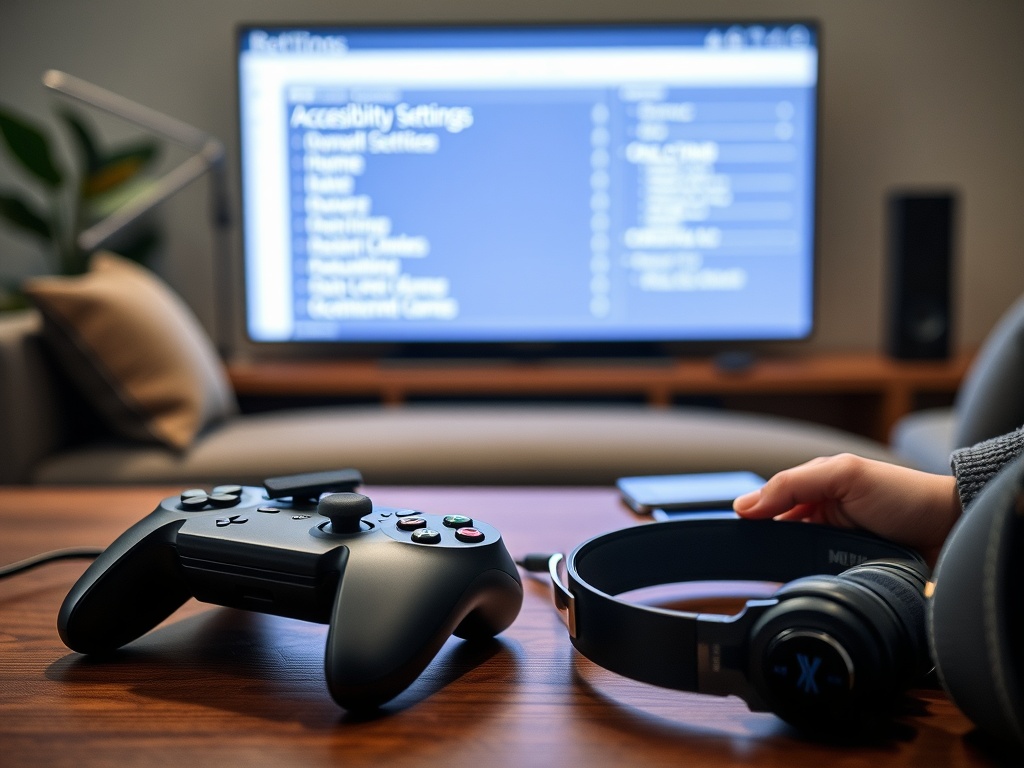
How Accessibility Options Are Changing Who Gets to Play

Accessibility options are changing games by letting more players adjust controls, visuals, audio, difficulty, and information flow to match their needs. The shift is not only about disability support; it is also changing how developers define good design, player choice, and who gets included in…
Accessibility options are changing games by letting more players adjust controls, visuals, audio, difficulty, and information flow to match their needs. The shift is not only about disability support; it is also changing how developers define good design, player choice, and who gets included in gaming culture.
At a Glance: Access Is a Design Layer
Game accessibility works best when it is planned from the beginning, not patched in as a menu after release. Subtitles, remappable controls, color options, difficulty tuning, and assist modes all reduce barriers between a player and the experience.
Microsoft’s xbox accessibility guidelines describe accessibility best practices for designers, developers, and test teams, created with industry experts and members of the gaming and disability community. That framing is important: accessibility is a production practice, not a favor.
Accessibility Expands the Player Base
Players can face visual, auditory, motor, cognitive, language, sensory, or temporary barriers. Some have permanent disabilities. Others are recovering from injury, playing in a noisy room, using a small screen, learning a new language, or sharing a controller setup with family. Good options help many people without reducing the core game.
This is why accessibility is now part of mainstream game conversation. It changes who can play, who can stream, who can compete, who can finish a story, and who feels welcome in the community.
For arts audiences, this shift is similar to public access in museums, archives, and festivals. Cultural participation grows when institutions lower practical barriers, a theme also relevant to How to volunteer at a museum and build real experience.
The Main Types of Accessibility Options
Accessibility does not mean one setting. It is a network of choices. The Game accessibility guidelines organize suggestions across basic, intermediate, and advanced levels, which helps show that developers can improve access at many scales.
| Access area | Common options | Who may benefit |
|---|---|---|
| Visual | Text size, contrast, colorblind modes, UI scaling | Low vision, color vision deficiency, small-screen players |
| Audio | Subtitles, caption labels, visual sound indicators | Deaf or hard-of-hearing players, muted play settings |
| Motor | Remapping, toggle holds, aim assists, input timing | Limited mobility, fatigue, adaptive-controller users |
| Cognitive | Objective reminders, simplified UI, pacing options | Memory, attention, learning, or processing needs |
| Difficulty | Assist modes, checkpoints, damage settings | Players seeking flexible challenge or story access |
Better Options Do Not Remove Challenge
A common myth is that accessibility makes games too easy. In reality, accessibility lets players reach the intended challenge. If a player cannot distinguish enemy colors, the challenge becomes vision decoding, not strategy. If holding a button causes pain, the challenge becomes endurance, not gameplay skill.
Good design separates meaningful challenge from accidental barriers. A rhythm game may still demand timing. A strategy game may still demand planning. A boss fight may still demand pattern learning. Accessibility settings help players engage with those intended demands.
The IGDA game accessibility special interest group has long focused on making games accessible regardless of impairments or limitations. Its work shows that accessibility knowledge is not new, but industry adoption has become more visible.
Clear Labels Help Players Decide Before Buying
Accessibility information matters before purchase. Players should not have to buy a game to discover that subtitles are too small or controls cannot be remapped. Storefront tags, feature lists, demos, and community reviews help players make informed choices.
The accessible games initiative aims to give players clear information about accessibility features through tags. This changes access from a hidden menu into discoverable product information.
This kind of labeling also helps creators and critics discuss games more precisely. Instead of saying a game is “accessible” in a vague way, people can identify which barriers it addresses and which ones remain.

Accessibility Influences Game Aesthetics
Options can affect how games look, sound, and feel. High-contrast modes may alter visual atmosphere. Audio cues may need visual equivalents. Custom controls may change tutorial language. These changes require design care so the game remains coherent.
The best accessibility work respects artistic intent while acknowledging that a single default presentation cannot serve every player. This is similar to adaptation in other media. A comic adapted to television changes form to reach viewers through a different structure, as explored in How Adaptations From Comics to TV differ from adaptations to film.
What Players Should Look For
Before choosing a game, players can check for subtitle size, full captioning, remappable controls, controller support, color options, screen reader support, difficulty flexibility, pause behavior, motion settings, and content warnings. For multiplayer or esports titles, input fairness and competitive rules also matter.
Players should also search community discussions, because official lists may not capture how features feel in practice. A game can list subtitles but still use small text. It can offer remapping but exclude menu controls. It can offer colorblind filters that do not solve the actual visual problem.
What Developers Should Measure
Developers should test with disabled players, not only internal staff. They should document features early, give players preview information, and treat accessibility bugs as real usability failures. Teams should also plan for localization, readable typography, scalable UI, and flexible input long before launch.
Play Belongs to More People
Accessibility options are changing gaming because they move the question from “Can the average player use this?” to “Which barriers can we remove without weakening the experience?” That question makes games more inclusive, more flexible, and often better designed for everyone.
For more on how media access intersects with cultural participation, see best places to find archived interviews, performances, and press appearances, which focuses on finding archived performances and interviews that might otherwise stay hard to reach.

Laura Friedman
<b>Location:</b> Boulder, Colorado Laura Friedman is a clean energy entrepreneur and climate tech advisor who has spent her career at the intersection of technology and sustainability. Based in Boulder, a hub for climate innovation, Laura has founded and advised companies in solar energy, battery storage, and carbon capture. Her writing at Nano Write covers the technologies and business models that are driving the transition to a low-carbon economy, from new materials and manufacturing processes to policy and investment trends. Laura holds a Master's in Energy Engineering and is a recognized thought leader in the clean energy space. She believes that innovation is the key to solving the climate crisis and her articles highlight the companies, technologies, and leaders making a difference. Laura is also an avid climber and skier who finds inspiration in the natural world.
More from Laura